How to Keep FlashDroid Kid Running in the Background on Motorola?
Motorola phones run Android close to stock, so there is no autostart list or manufacturer app killer to fight — just Android's own battery and data restrictions, plus Adaptive Battery. Four steps, and they apply to Android 12 and above.
All of these settings live on the child's Motorola — the phone with the FlashDroid Kid app on it.
Step 1 — Find FlashDroid Kid in Apps
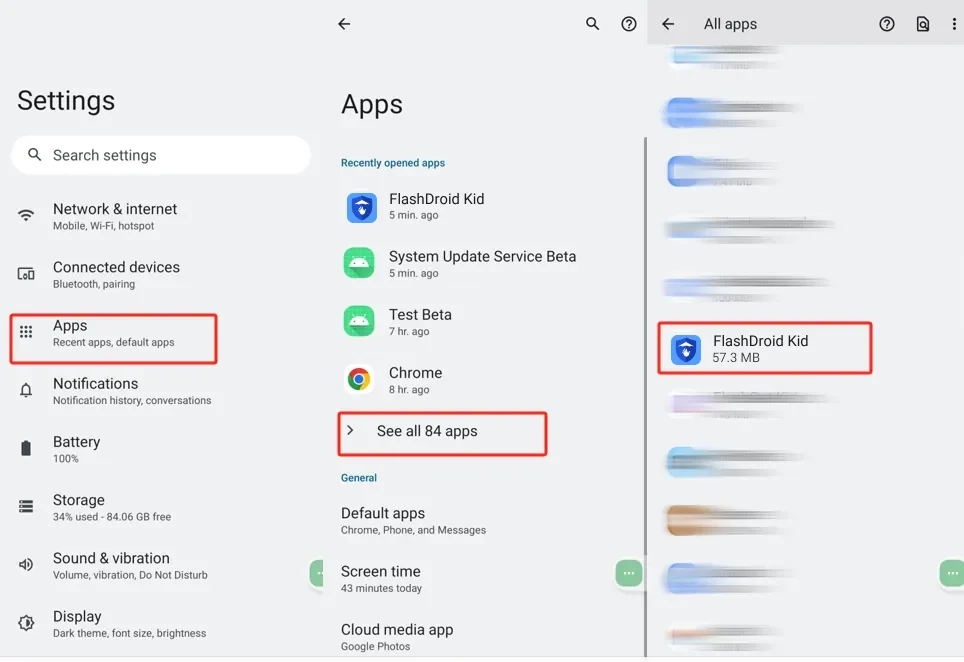
Go to Settings → Apps → See all apps and tap FlashDroid Kid.
Step 2 — Notifications, background data, unrestricted battery
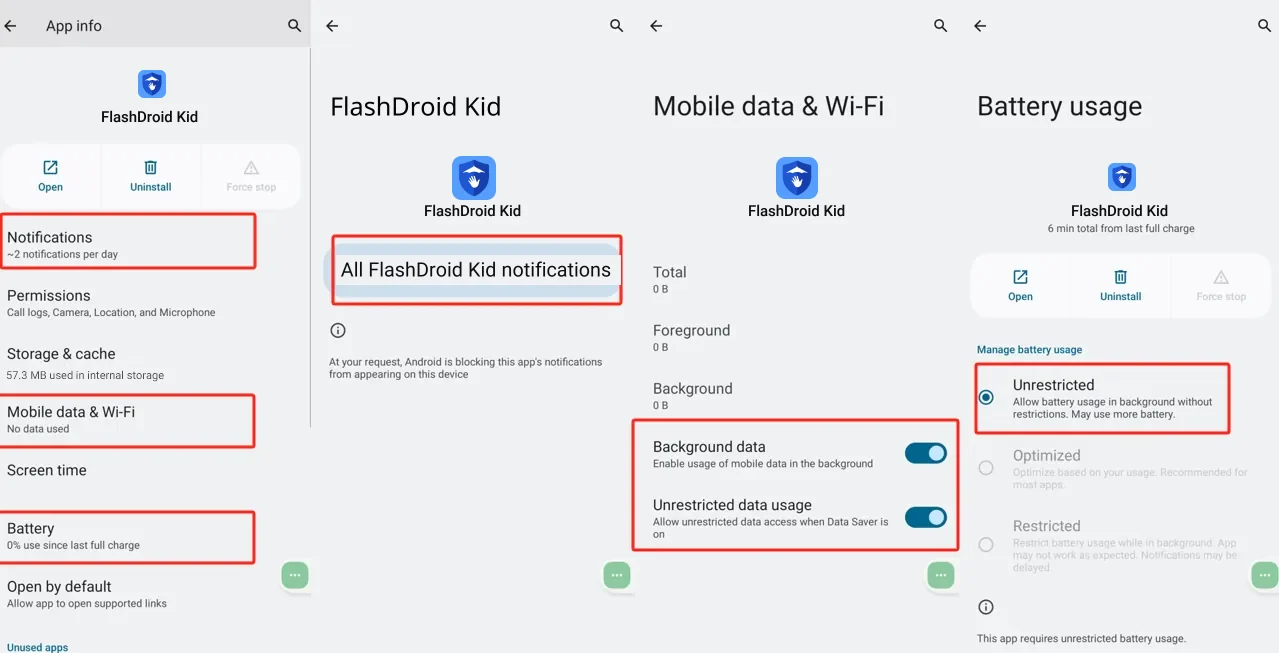
Three settings on FlashDroid Kid's App info page:
- Notifications — switch All FlashDroid Kid notifications on.
- Mobile data & Wi-Fi — switch on both Background data and Unrestricted data usage.
- Battery — under Manage battery usage, choose Unrestricted.
Step 3 — Stop permission clean-up, allow overlay
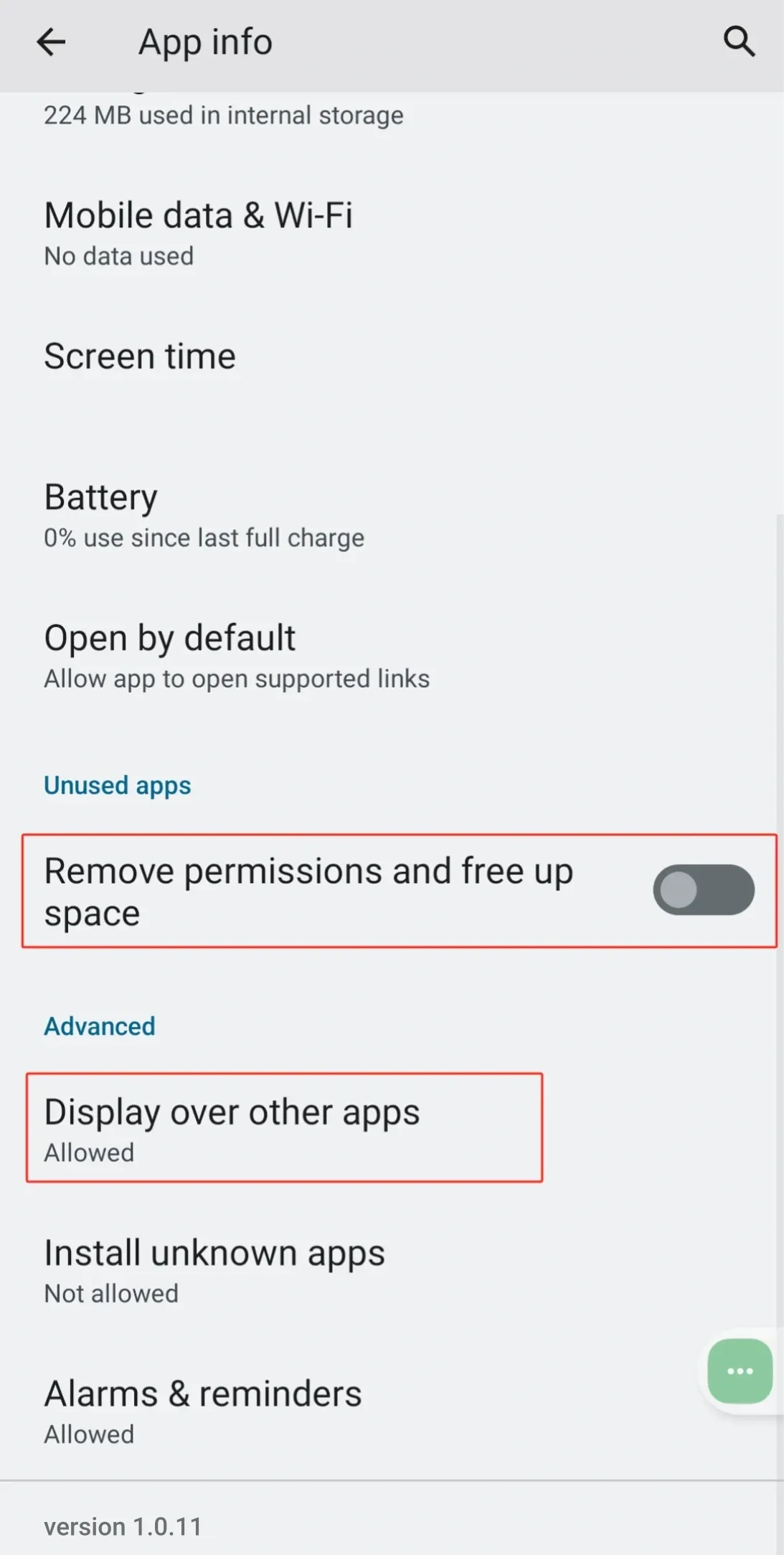
Scroll down FlashDroid Kid's App info page: turn Remove permissions and free up space off (otherwise Android strips FlashDroid Kid's permissions after a spell of the child not opening it), and check Display over other apps reads Allowed — that is what lets FlashDroid Kid's limit screens appear.
Step 4 — Battery Saver and Adaptive Battery off
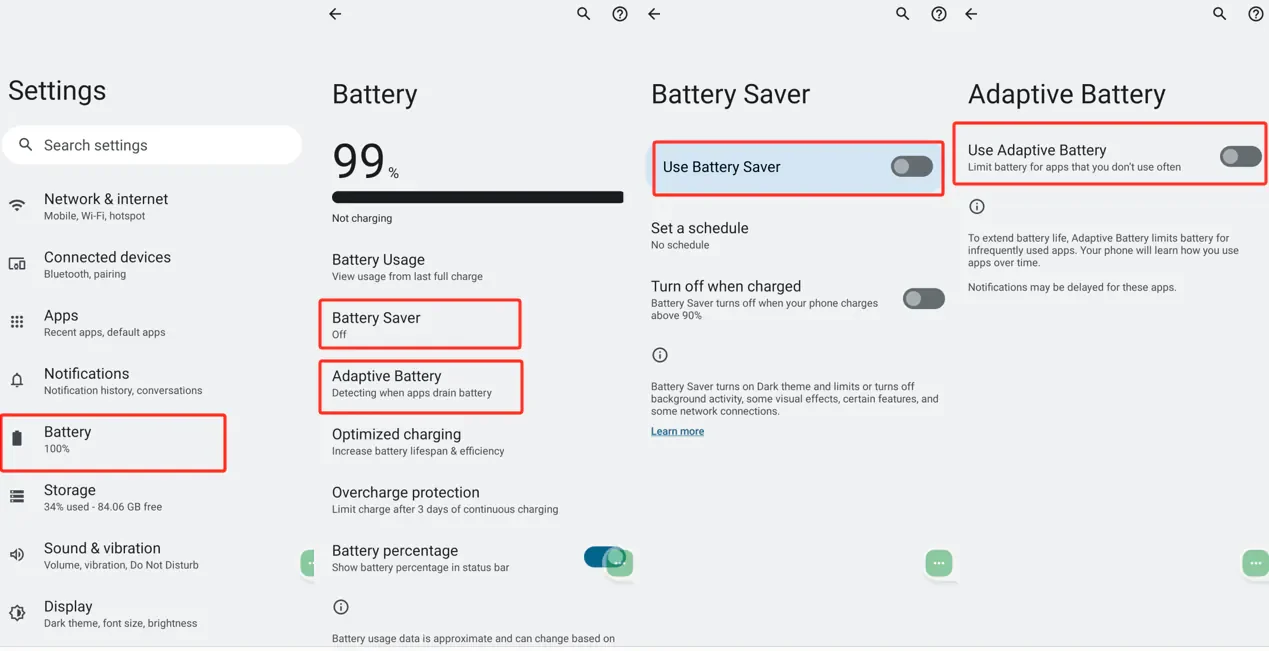
Go to Settings → Battery: switch Use Battery Saver off, then open Adaptive Battery and switch Use Adaptive Battery off. Adaptive Battery limits apps the child "doesn't use often" — which always ends up including FlashDroid Kid.
Check it worked
Your child's phone should show online in the FlashDroid app and stay online overnight, with no gaps in reports over 48 hours.
A major Android update can reset battery settings to their defaults. If the device starts dropping offline after an update, walk through these four steps again.
Something still off? Start from the overview — How to keep FlashDroid Kid running in the background on Android.
Related guides
See how FlashDroid works
Set the day’s limit together, keep distractions out of study hours, and switch to Exam Day in one tap. Works whether the phone is theirs or yours.
See how it works